

Setting up two-factor authentication (2FA)
Add a second layer of security to your Umbrel login
Two-factor authentication adds a second layer of security to your Umbrel. When enabled, you'll need to enter a code from an authenticator app every time you log in.
2FA is set per account. If your Umbrel has more than one user, each person turns it on for their own login.
Enable 2FA
-
Open the 2FA setting:
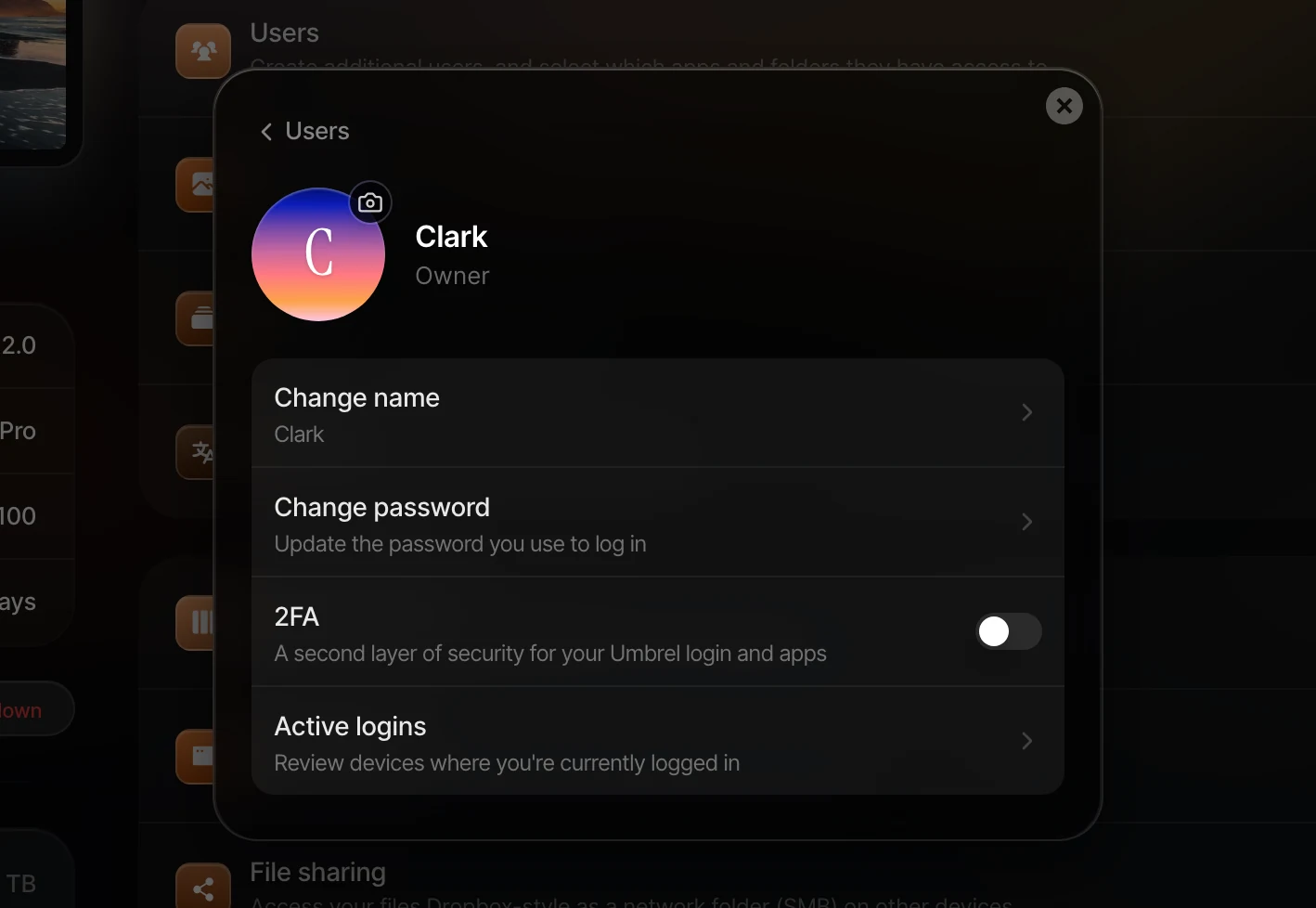
- If you're the owner (the account that set up the Umbrel), go to Settings > Users, click your own account, and turn on the 2FA switch.
- If you're a member, go to Settings > 2FA.
-
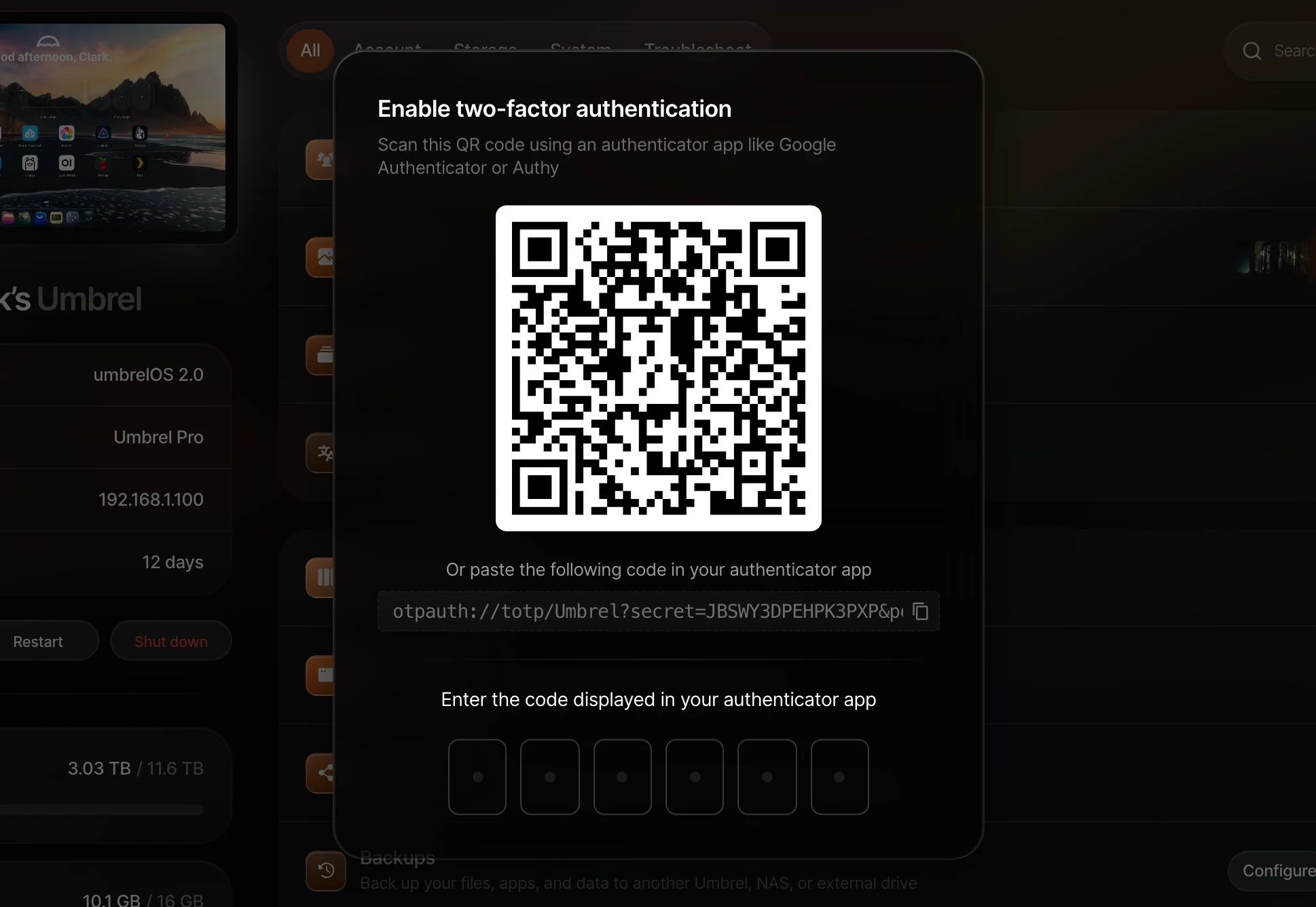
Scan the QR code using an authenticator app like Google Authenticator or Authy. You can also paste the code manually if you prefer.
-
Enter the code displayed in your authenticator app to confirm.
You can also press ⌘/Ctrl + K and search for 2FA to jump straight there.
Disable 2FA
- Go to the same place you turned it on. Owners turn off the 2FA switch in Settings > Users under their own account. Members open Settings > 2FA.
- Enter the current code from your authenticator app to confirm.
What 2FA protects
Once enabled, logging in to your Umbrel requires both your password and a code from your authenticator app. This includes signing in to the Umbrel iPhone app and Umbrel Mac app.
It also applies to your apps. If someone tries to open an app directly without being logged in, they'll be asked to log in with their Umbrel password and 2FA code. The owner can turn off Require Umbrel login for an individual app in its app settings, and that app then won't ask for a login or 2FA code.
Lost access to your authenticator app?
- If you're a member, ask the owner to reset your password. They can do this in Settings > Users by clicking your account and choosing Reset password. This sets a new password and turns off 2FA for your account, so you can log in and set it up again.
- If you're the owner, contact us and we'll walk you through recovering access to your Umbrel.