
Adding a community app store
Install third-party app stores on umbrelOS for access to more apps
Community App Stores let you install apps that aren't available in the official Umbrel App Store. They're also useful for testing beta versions of apps before they're officially released.
Add a community app store
-
Open the App Store from the dock.
-
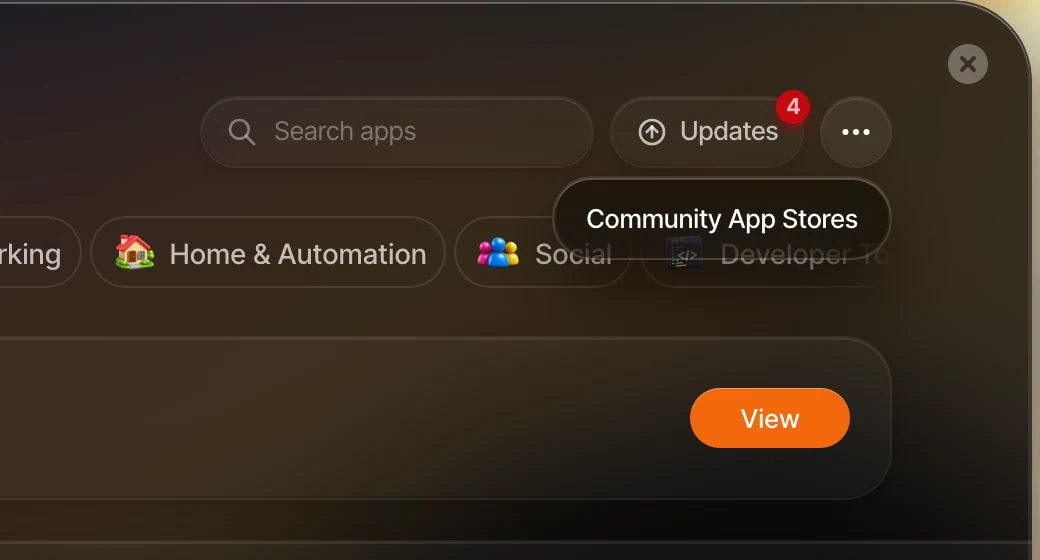
Click the three dots in the top-right corner and select Community App Stores.
-
Paste the app store's URL and click Add.
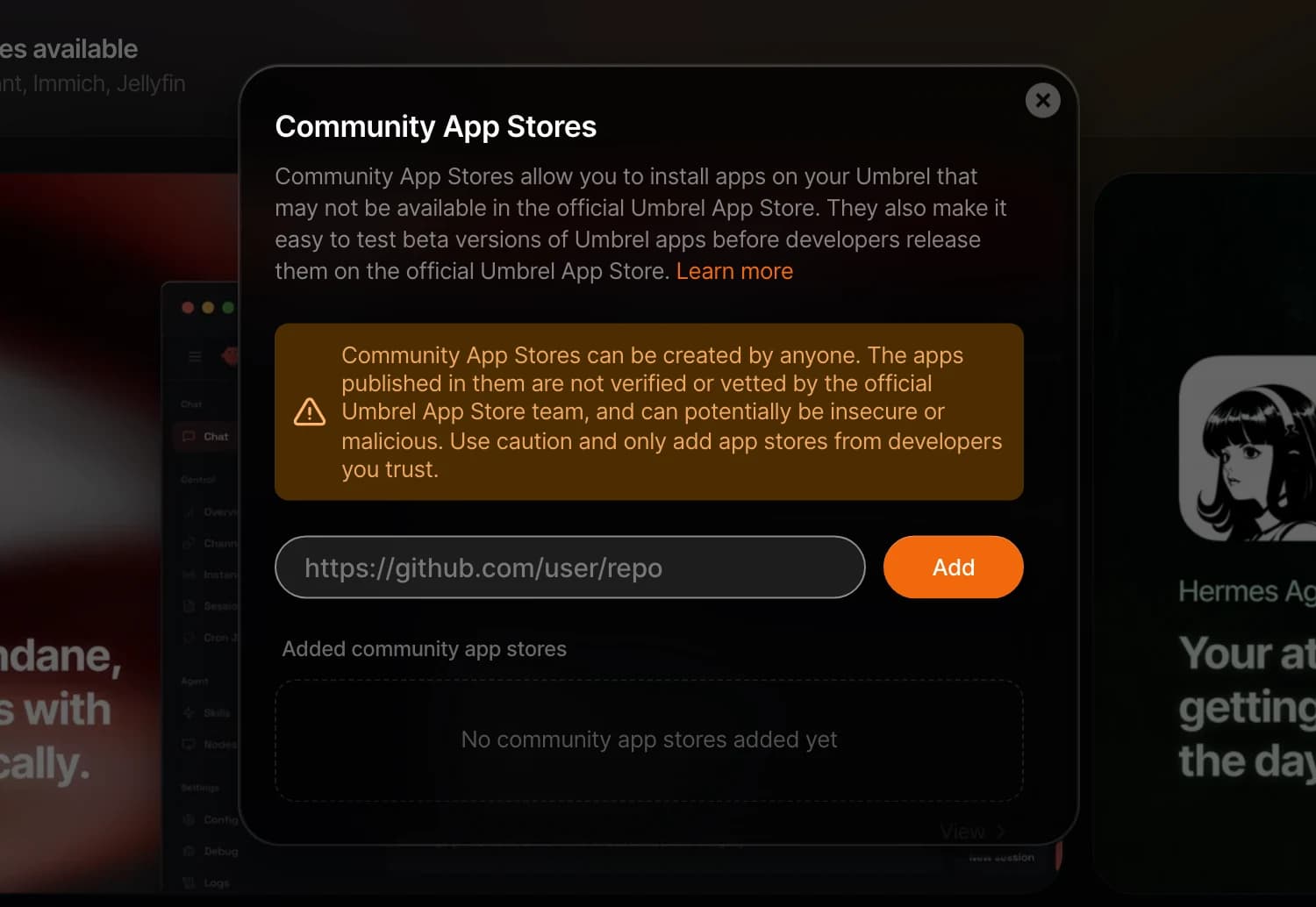
To browse a community app store, go to the three dots menu, select Community App Stores, and click Open next to the store you want to browse. From there you can install apps just like you would from the official App Store.
Remove a community app store
- Go to Community App Stores in the App Store.
- Click Remove next to the app store you want to remove.
Removing a community app store does not uninstall apps you've already installed from it.
A word of caution
Community App Stores can be created by anyone. The apps in them are not verified or vetted by the Umbrel team, and could potentially be insecure or malicious. Only add app stores from developers you trust.
Create your own
Want to create a community app store? Use the Community App Store template on GitHub to get started.