

Restoring from a backup
Restore your entire Umbrel from a previous backup
You can restore your entire Umbrel from a previous backup, including your account, settings, files, apps, and data. You'll need the encryption password you set when you enabled backups.
If you just need to recover specific files or folders, use Rewind instead.
When to restore
- You're setting up a new device and want to pick up where you left off.
- You've factory reset your Umbrel and want to get your data back.
- You want to roll back to an earlier state of your Umbrel. For individual files, use Rewind instead.
Restore during setup
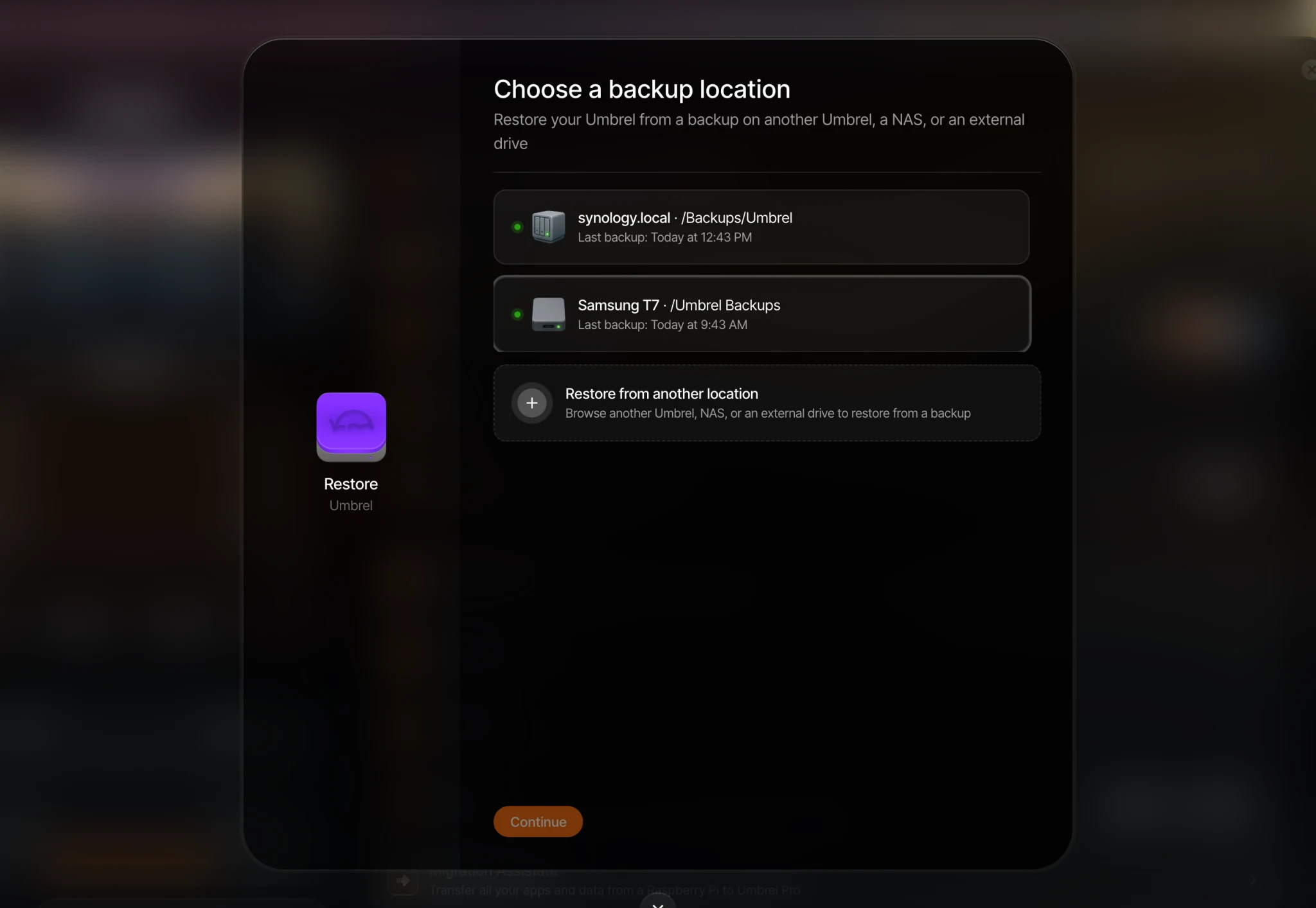
When setting up a new Umbrel, you'll have the option to restore from a backup during onboarding. Choose your backup location, select a backup, and enter your encryption password.
On Umbrel Pro, onboarding requires a few extra steps. You'll complete setup with a temporary account first, then restore from Settings > Backups > Restore.
Restore from Settings
If your Umbrel is already set up, go to Settings > Backups > Restore and follow the guided steps to choose a backup location and select a backup to restore from.
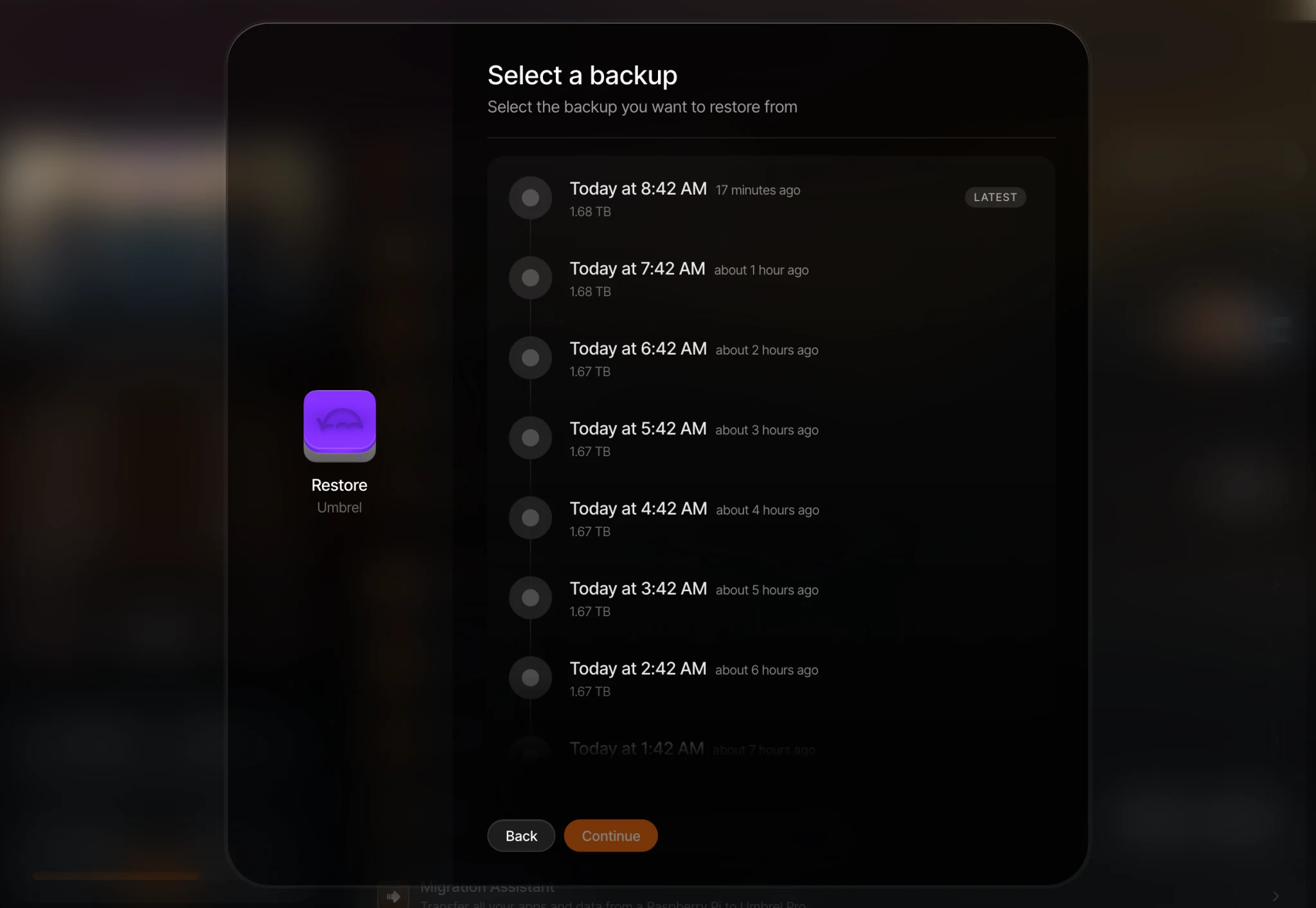
After you choose a location, pick the backup you want. They're listed newest first.
What to know
- Restoring replaces your current account, apps, and data with the contents of the backup.
- Apps that were excluded from backups will still be reinstalled but will start fresh without their data.
- Your login password will be set to the one you had when the backup was created.
- Do not power off your Umbrel or disconnect the backup location during the restore.