
Joining the beta program
Get early access to new umbrelOS features before they're released
The beta program lets you try new umbrelOS features before they're released to everyone. It's a great way to get early access and help us refine things with your feedback.
Before you join
Beta updates are not as stable as regular releases. Things may break, and troubleshooting may require familiarity with the terminal. If you have critical data or funds on your Umbrel without a backup, we recommend staying on stable releases.
By joining the beta program, you accept the risk of:
- Bugs and unexpected behavior
- Needing to troubleshoot via the terminal
- Potential data loss in rare cases
Join the beta program
- Go to Settings > Advanced settings.
- Turn on umbrelOS Beta Program.
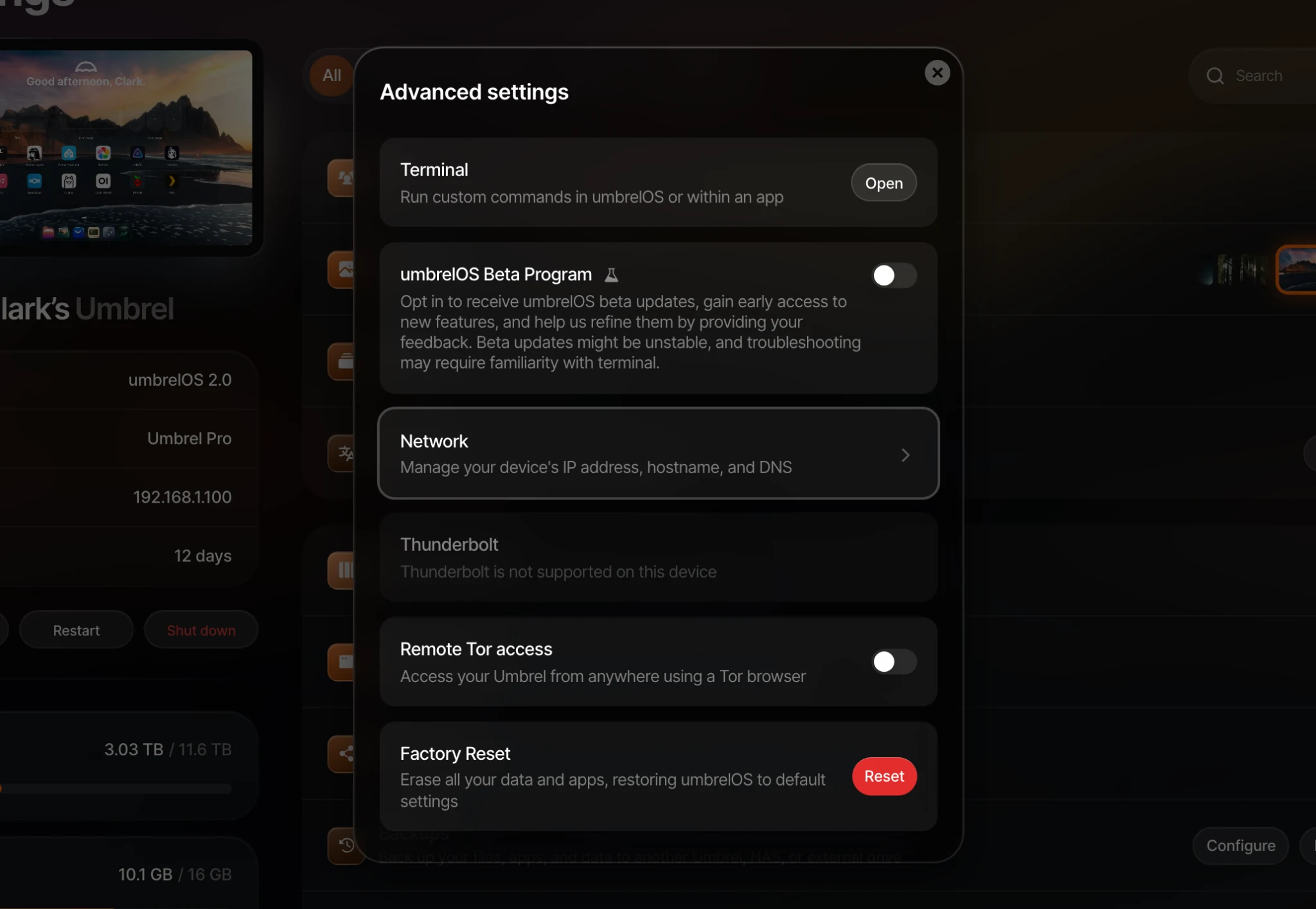
Once enabled, you'll receive beta updates alongside regular updates. When a beta update is available, you'll see a notification on your home screen just like a regular update.
Leave the beta program
You can leave anytime from the same toggle in Settings > Advanced settings. After leaving, you'll go back to receiving stable releases only. Your Umbrel will stay on whatever version it's currently running until the next stable update is available.