External storage
Use USB drives with your Umbrel for extra storage or backups
Plug a USB drive into your Umbrel and it will appear under External storage in the Files sidebar. You can browse, upload to, and manage files on it just like your internal storage.
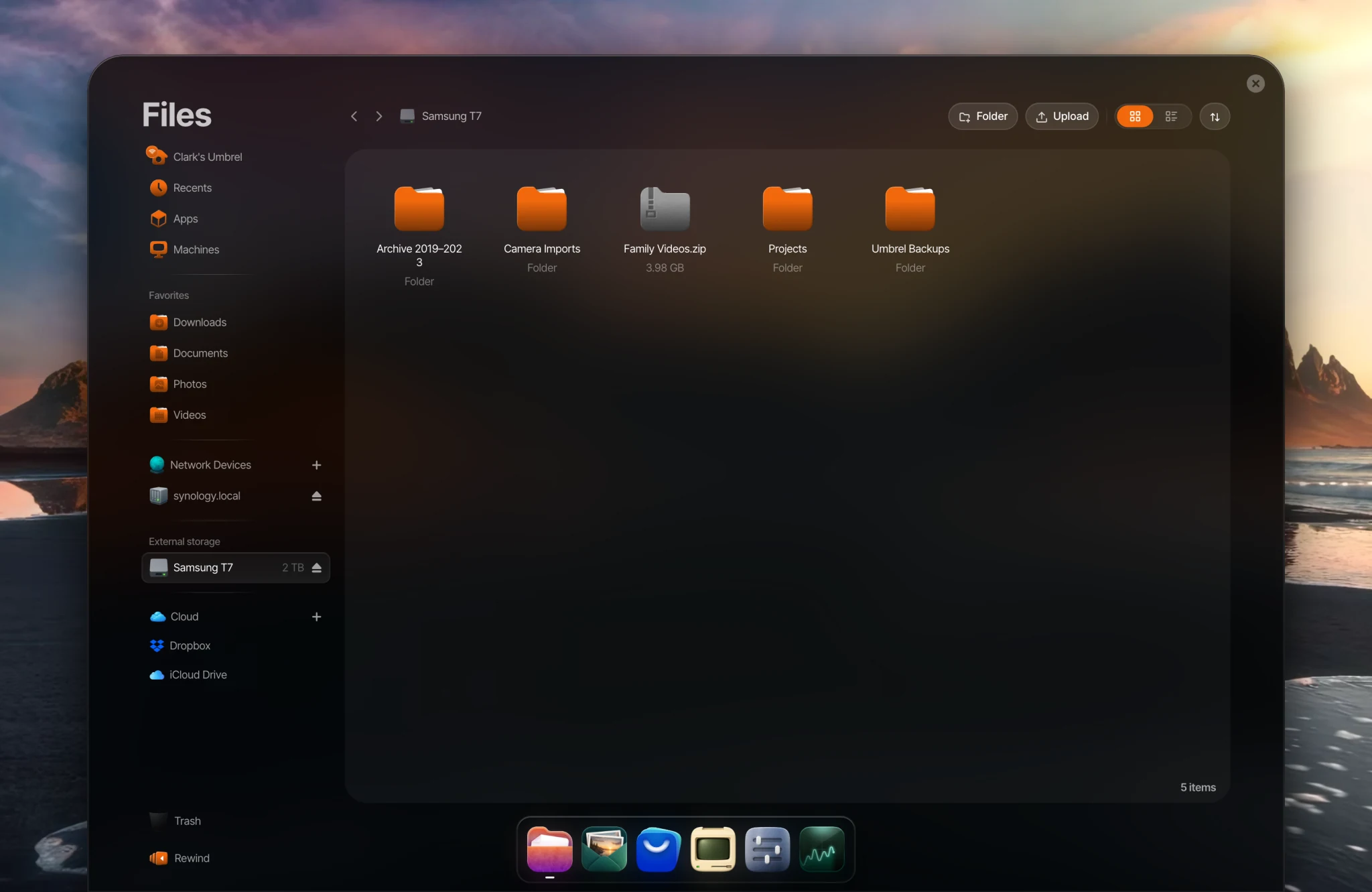
Safely removing a drive
Always eject a drive before unplugging it. Click the eject button next to the drive in the Files sidebar. Unplugging without ejecting can corrupt data on the drive.
Formatting
If your drive's format isn't supported, Files will offer to format it as exFAT (for compatibility with Windows, macOS, and Linux) or ext4 (for better performance with umbrelOS).
Use as a backup location
External drives can be used as backup locations. When setting up backups in Settings > Backups, choose External Drive as the backup type.
Share over your network
On supported devices, you can share an external drive, or folders on it, over your local network. In Files, right-click a folder on the drive and select Share over network, or go to Settings > File sharing > Configure, choose Specific folders, click Add, and select the drive or folder under External storage.
If the drive is disconnected, the share will show as unavailable until the drive is connected again. Always eject the drive before unplugging it.
Compatibility
External storage is available on every device, including Raspberry Pi. On a Raspberry Pi, always use the official power supply so the drive gets enough power.
Use with apps
Open an app's settings by right-clicking its icon and choosing Settings, or from Settings > App settings. Under Storage you can:
- Give the app access to a folder on the drive. Choose Access to your folders and pick the folder. Your files stay where they are.
- Move the app to the drive. Choose App storage > Move. The drive must be formatted as ext4, and it needs to stay connected while the app is running. Apps stored on an external drive aren't included in umbrelOS Backups.