

Using Rewind
Recover specific files and folders from past backups
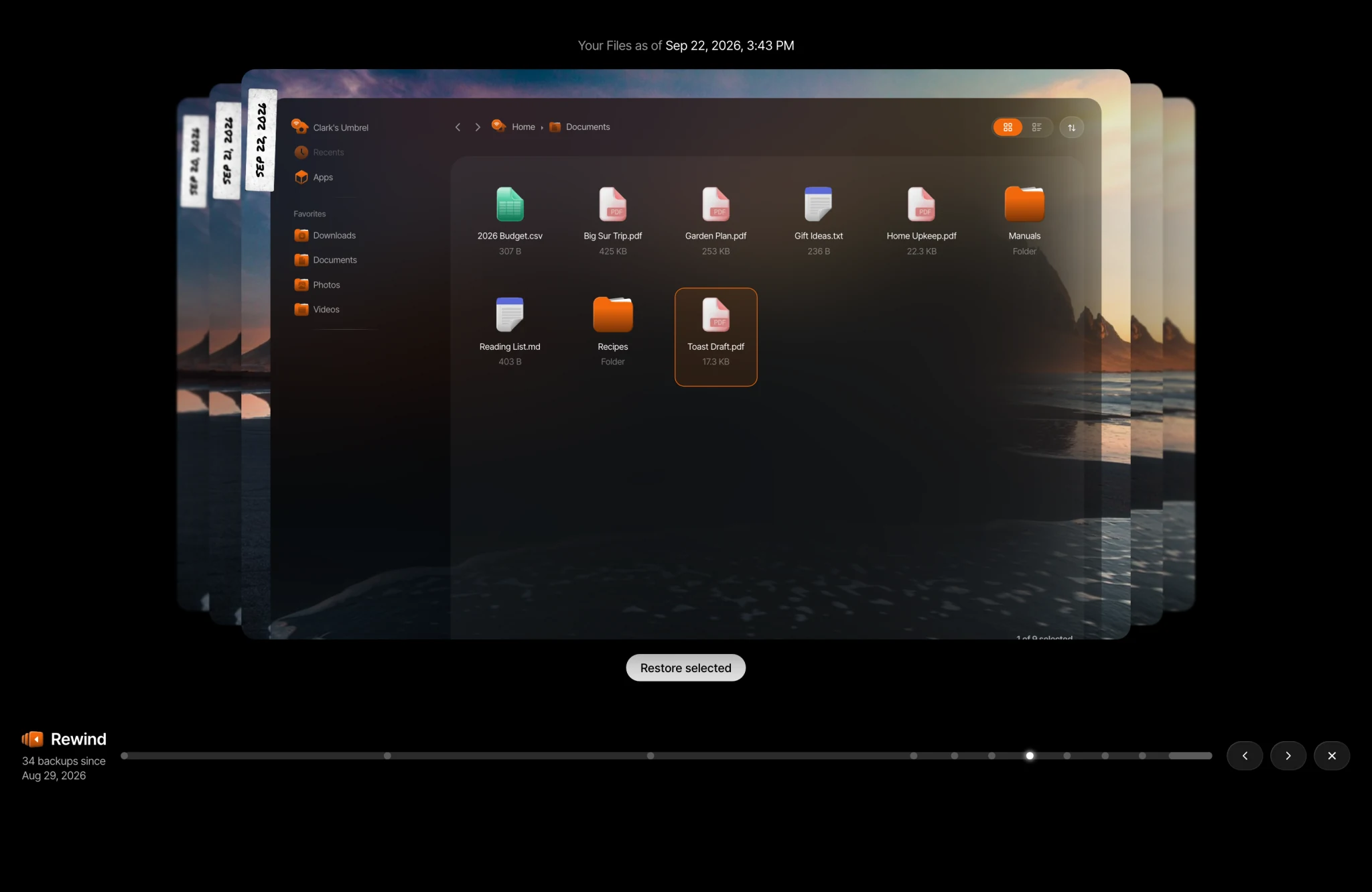
Rewind lets you jump back in time to find and restore specific files and folders from your past backups, without restoring your entire Umbrel. It's useful for recovering accidentally deleted files, getting back an older version of a file, or pulling specific data from a past backup.
Rewind requires backups to be set up. If you haven't already, see Backing up your data to get started.
How to use Rewind
-
Open Rewind by clicking Rewind in the lower left of the Files sidebar. You can also right-click any file or folder in Files and select Rewind, or go to Settings > Backups > Restore > Rewind.
-
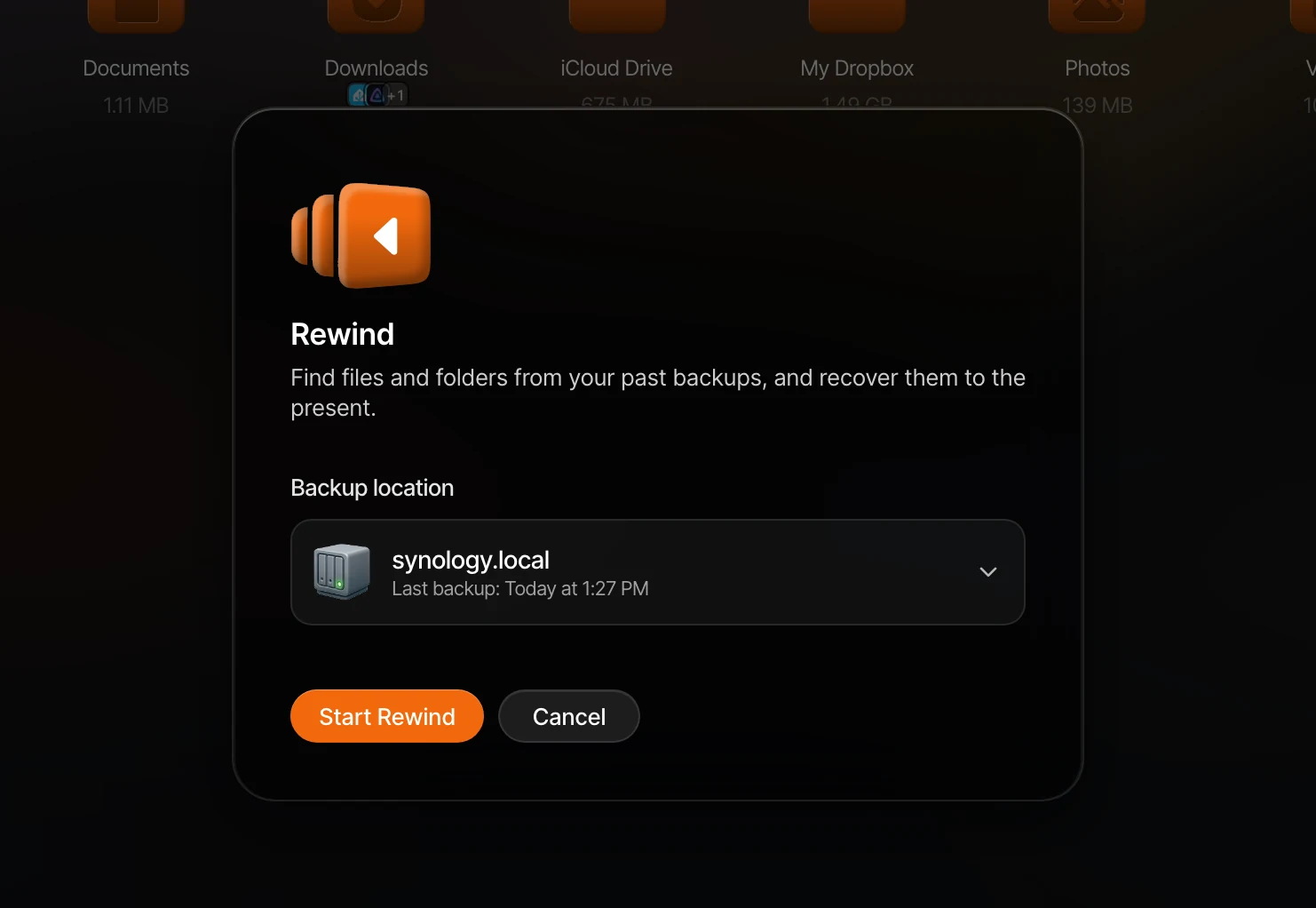
Select a backup location to rewind from and click Start Rewind.
-
Browse your files as they were at any point in time. Click a point on the timeline at the bottom, or use the arrows next to it, to move between backups. The date you're looking at is shown at the top.
-
Select the files or folders you want to recover and click Restore selected. If a file already exists, you'll be given the option to replace it, keep a copy, or skip it.